
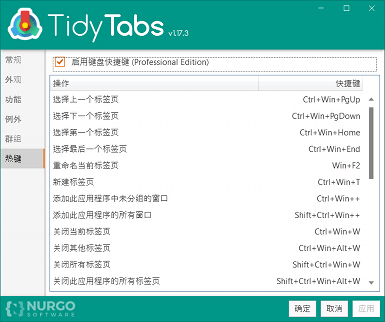
TidyTabs in Simplified Chinese

This new release (TidyTabs 1.17.5) is a minor update which introduces the following change:
  • Added Simplified Chinese translation. Please report any inconsistencies in the translation to our support team.

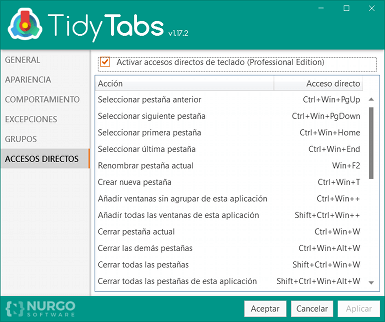
TidyTabs in Spanish

This new release (TidyTabs 1.17.3) is a minor update which introduces the following change:
  • Added Spanish translation. Please report any inconsistencies in the translation to our support team.
  • Small changes in the UI to accommodate longer localized strings.

TidyTabs

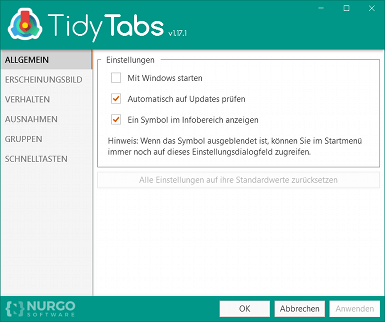
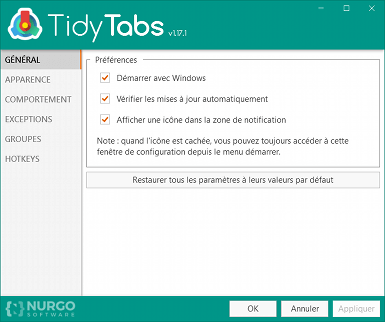
This new release (TidyTabs 1.17.1) is a major update which introduces the following changes:

  • Added French translation.
  • The tabs in the settings dialog are now displayed on the left side to better accommodate longer localized strings.
  • Fixed: Saved group position is incorrect when the taskbar is on the left.

This new release (TidyTabs 1.16.2) is a minor update which introduces the following change:
  • Small improvements in the installer

This new release (TidyTabs 1.16.1) is a minor update which introduces the following change:
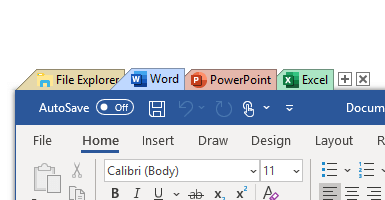
  • Fixed: When Explorer.exe is whitelisted and has auto-grouping enabled, the file copy dialog is automatically tabbified

TidyTabs

This new release (TidyTabs 1.16.0) is a major update which introduces the following changes:
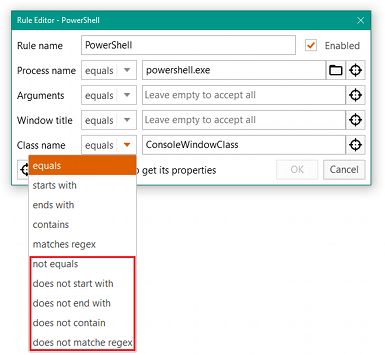
  • Added the ability to set a custom color for inactive tabs.
  • Better matching colors when using the Windows theme.
  • Softer colors for tabs contours.

TidyTabs

This new release (TidyTabs 1.15.0) is a major update which introduces the following changes:
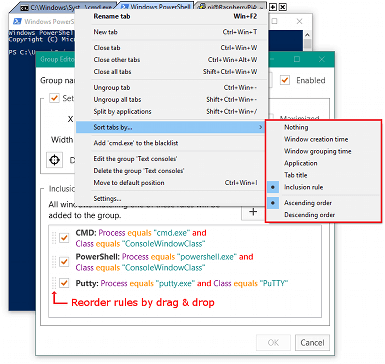
  • More powerful rules for Smart Groups and Exceptions.
  • Fixed: When a tabbed window is restored by clicking on its taskbar icon, it is sometimes immediately pushed back behind another window.

TidyTabs

This new release (TidyTabs 1.14.0) is a major update which introduces the following changes:

  • Automatic tab sorting: in the right-click menu, you can now choose in which order the tabs should be displayed.
  • For Smart Groups, TidyTabs remembers the sorting option that you have chosen (by default the tabs are ordered by inclusion rule).
  • In the group editor, you can now reorder the inclusion rules. The order of the rules can be used to sort the tabs.
  • In the GROUPS tab of the TidyTabs settings, you can now reorder the groups. The order is important because the windows are placed in the first matching group.
  • In the EXCEPTIONS tab of the TidyTabs settings, you can now reorder the filtering rules of the whitelist and blacklist.
  • New keyboard shortcuts.
  • The keyboard shortcuts are not displayed anymore in the right-click menu when they are disabled.
  • Fixed: Application crashing at startup in some rare circumstances.

This new release (TidyTabs 1.13.1) is a minor update which introduces the following change:

  • Fixed: The tabs are too big when the system-level DPI is set to more than 100%.

TidyTabs

This new release (TidyTabs 1.13.0) is a major update which introduces the following change:

  • Full support of per-monitor DPI scaling.

GameLibBooster

This new release (GameLibBooster 1.5.1) is a minor update which introduces the following changes:

  • Modified: When a library directory does not exist, we create it.
  • Fixed: Libraries newly created by the Steam client are not supported.
Cookies make it easier for us to provide you with our services. With the usage of our services you permit us to use cookies.
More information Ok